
Survey
From the point cloud
to the drawing and the model
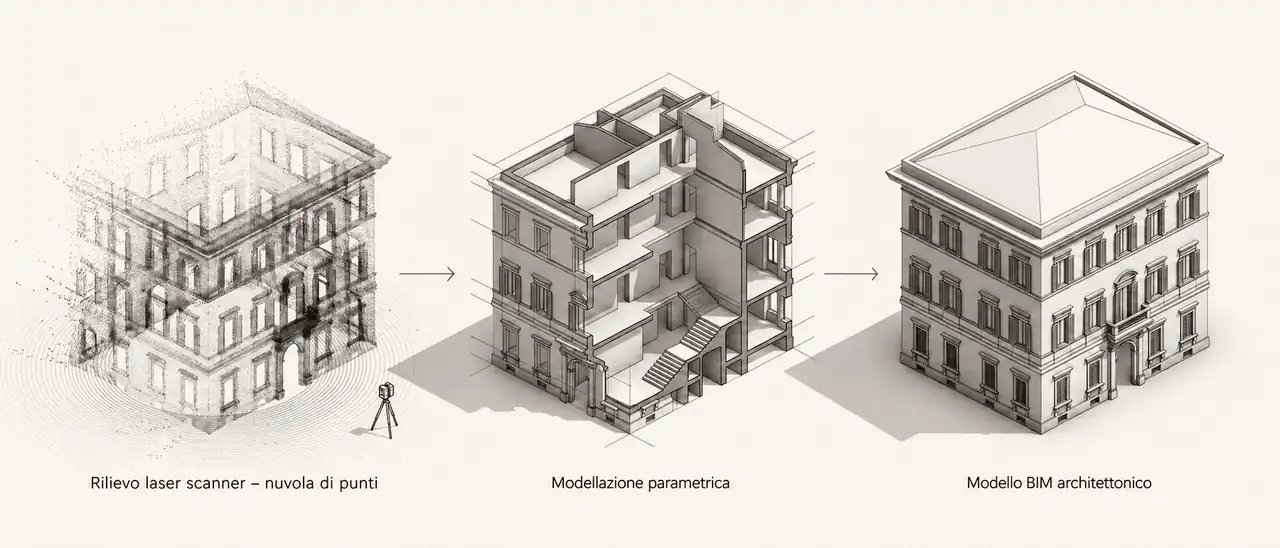
Laser scanning records the existing condition with a density of measurements that traditional surveying cannot reach. The value of the survey, however, lies in how the point cloud becomes a deliverable: CAD plans, elevations and sections (scan-to-CAD) or a BIM information model (scan-to-BIM), following internal rules that make the result verifiable and repeatable.
Laser scanner
Capture and registration of the scans
Scan-to-CAD
Plans, elevations, sections, profiles
Scan-to-BIM
Information model by level of development
UNI 11337 · ISO 19650
References for LOD and information management
01
Capture and registration
A point-cloud survey is more than operating the instrument: surveying expertise is needed to judge the robustness of the scan network and the accuracy of the data captured.
We work in the Leica environment, from the BLK360 laser scanner to the Cyclone software for registering and merging the scans, adding total station and GPS when the survey requires it. The cleaned and registered cloud is exported in ReCap format, the point-cloud connector for Autodesk software such as AutoCAD and Revit.
- Instruments
- Leica BLK360 laser scanner · total station · GPS
- Registration
- Leica Cyclone
- Exchange format
- Autodesk ReCap
02
Scan-to-CAD: from the cloud to the drawings
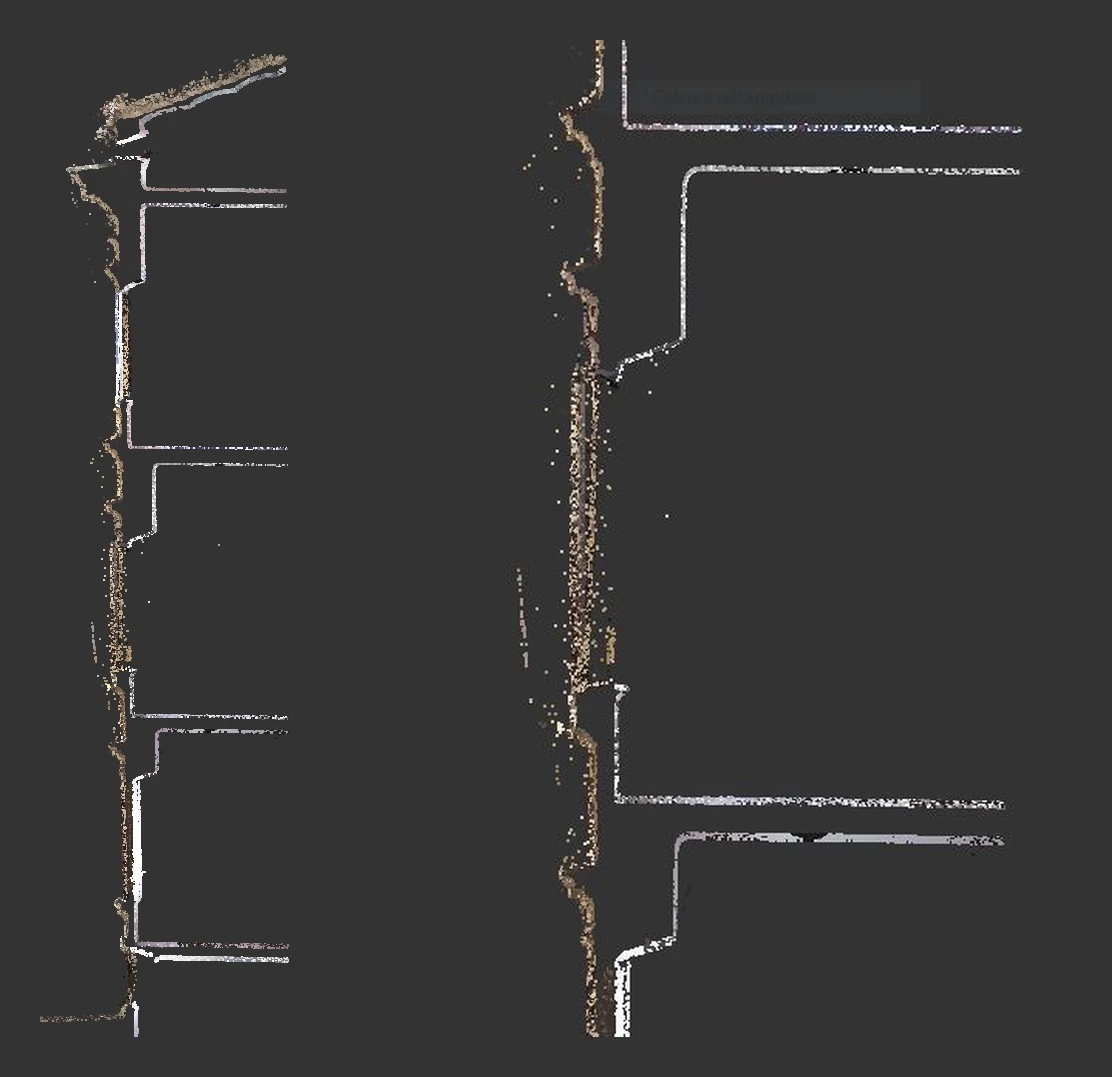
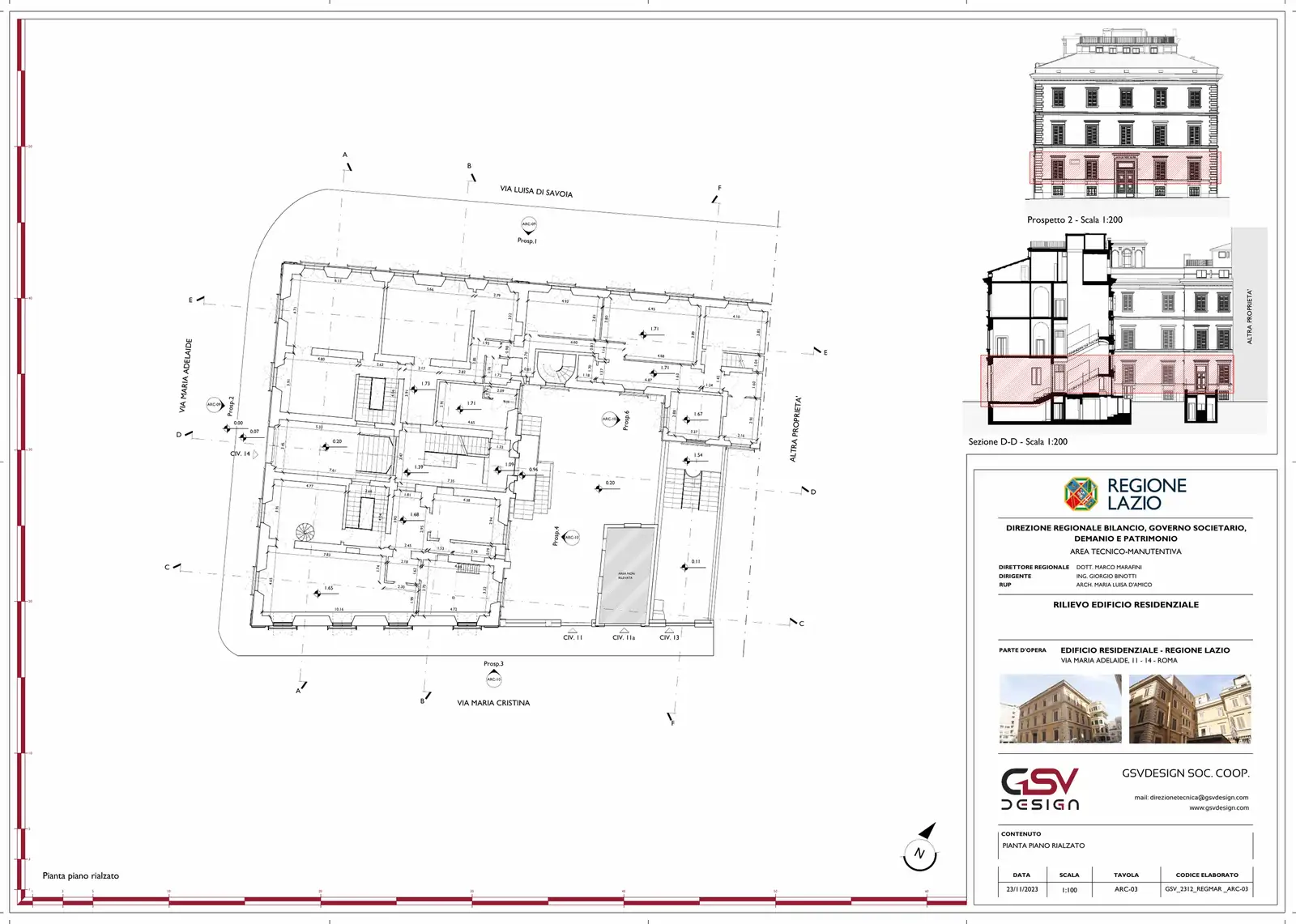
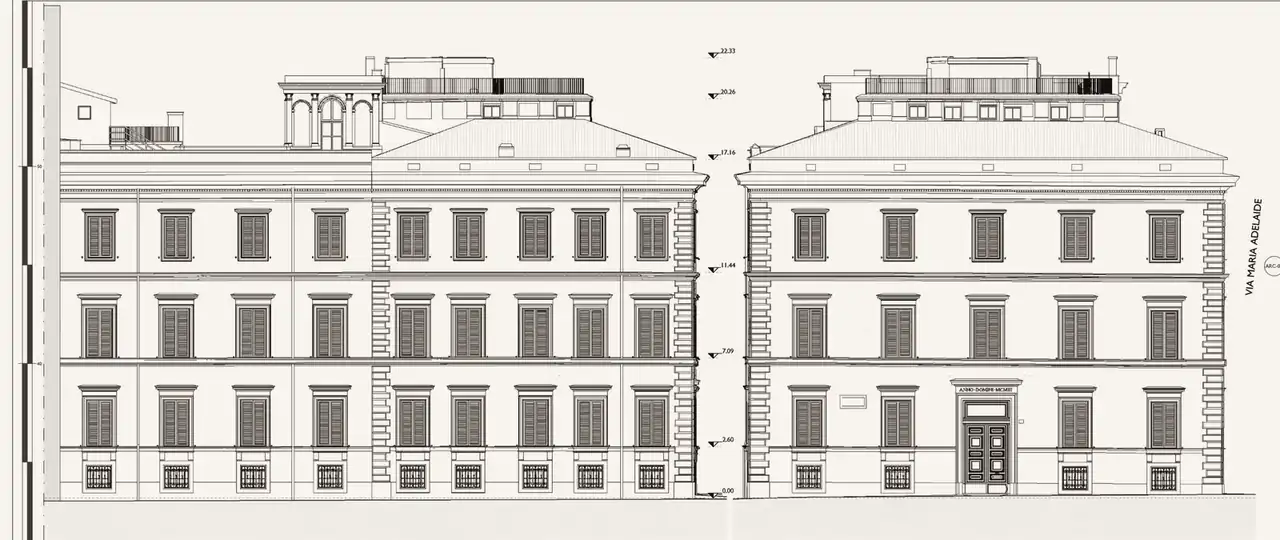
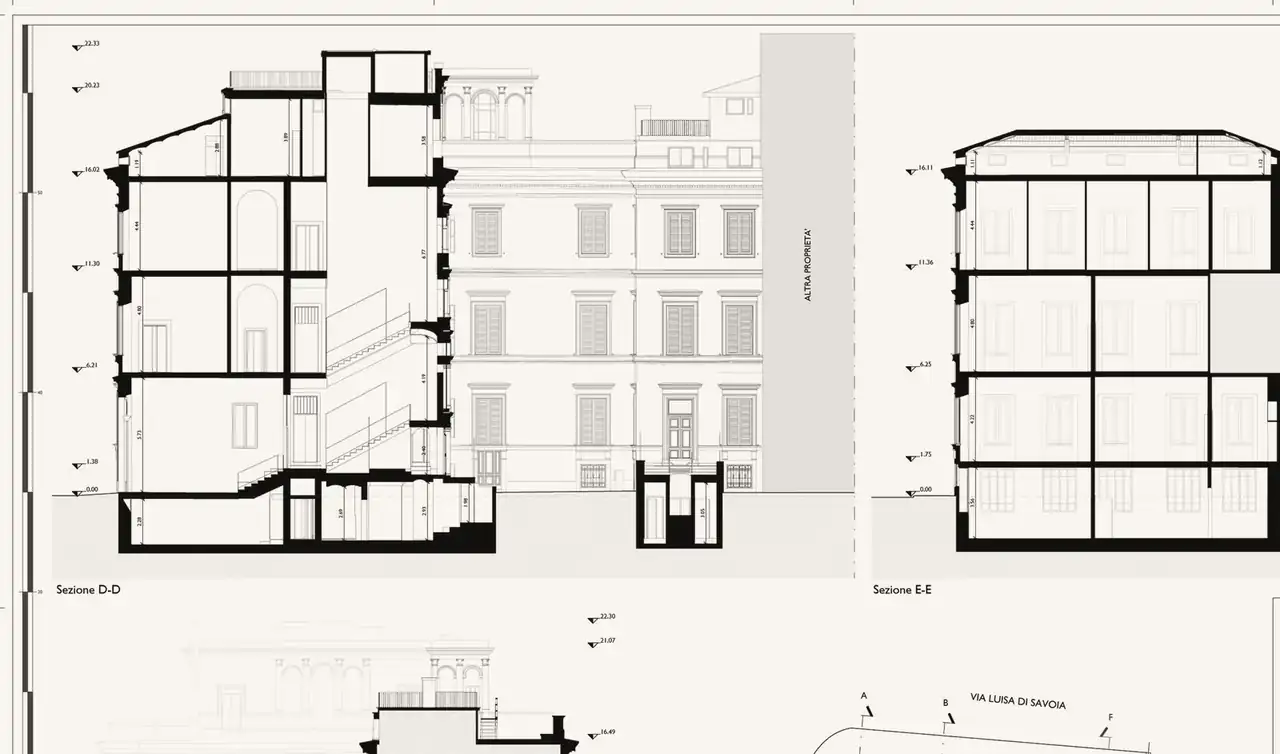
When the goal is traditional drawings — plans, elevations, sections, profiles — the conversion follows an internal procedure set out in our quality management system.
- A central file, as in a BIM model. The cloud is imported into a CAD file created from the GSVDESIGN template, already set up with the survey layers, and inserted at the coordinate origin (0,0,0).
- Project north, without rotating the cloud. If the north of the cloud does not match project north, the cloud stays as it is: a rotated view is created with its own saved coordinate system (UCS).
- One view for each drawing. For every plan, elevation or section a three-dimensional slice of the cloud and a saved view are defined; section lines are shown on the plan.
- Each drawing in a linked file. Each drawing is an external reference (xref) of the central file, which stays read-only: several operators work in parallel without interfering.
- Delivery. At the end, a single file containing the whole survey or a sheet set made up of the external references.
03
Scan-to-BIM: from the cloud to the model
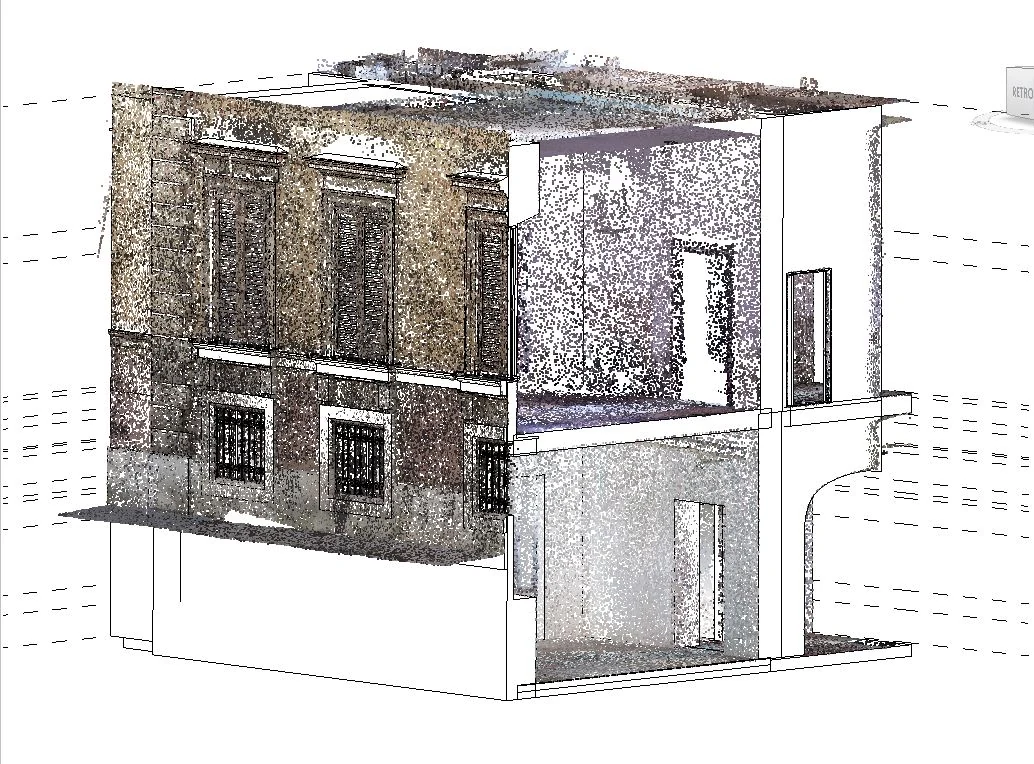
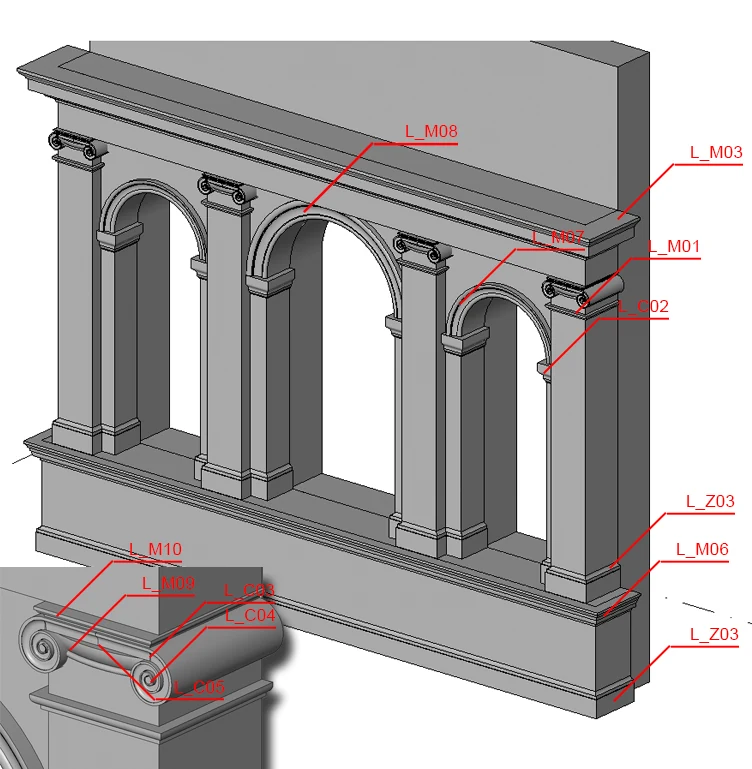
When an information model is needed, the registered cloud is linked to the Revit project and becomes the basis for modelling walls, floors, roofs, openings and decorative elements.
The model starts from GSVDESIGN templates for each discipline and design stage, with the project browser organised according to our BIM Standards: delivery views kept apart from working views, groups for plans, elevations, sections, details and schedules, and existing, temporary and proposed phases when the works require them.
Views and sheets follow coded names — level, finished or structural level reference, description — and files follow the field structure of UNI EN ISO 19650. The survey is modelled to LOD B and enriched with information up to LOD C and D of UNI 11337-4, as a basis for the detailed design drawings.
- Environment
- Autodesk Revit, cloud linked in ReCap format
- Organisation
- GSVDESIGN templates and BIM Standards
- Levels of development
- UNI 11337-4: from LOD B to LOD C and D
- Naming
- Field structure of UNI EN ISO 19650
04
Quality checks
- A drawing from a cloud is an approximation: it must be deliberate and consistent across the whole survey.
- The conversion follows the logic of orthographic projection: sections and elevations are derived from the reference plan and check one another.
- Check measurements between reasonably opposite points, taken on the cloud in ReCap and compared with the same measurements on the drawings.
- During the conversion the operator always keeps the cloud and the spherical photos of the scan stations in view.
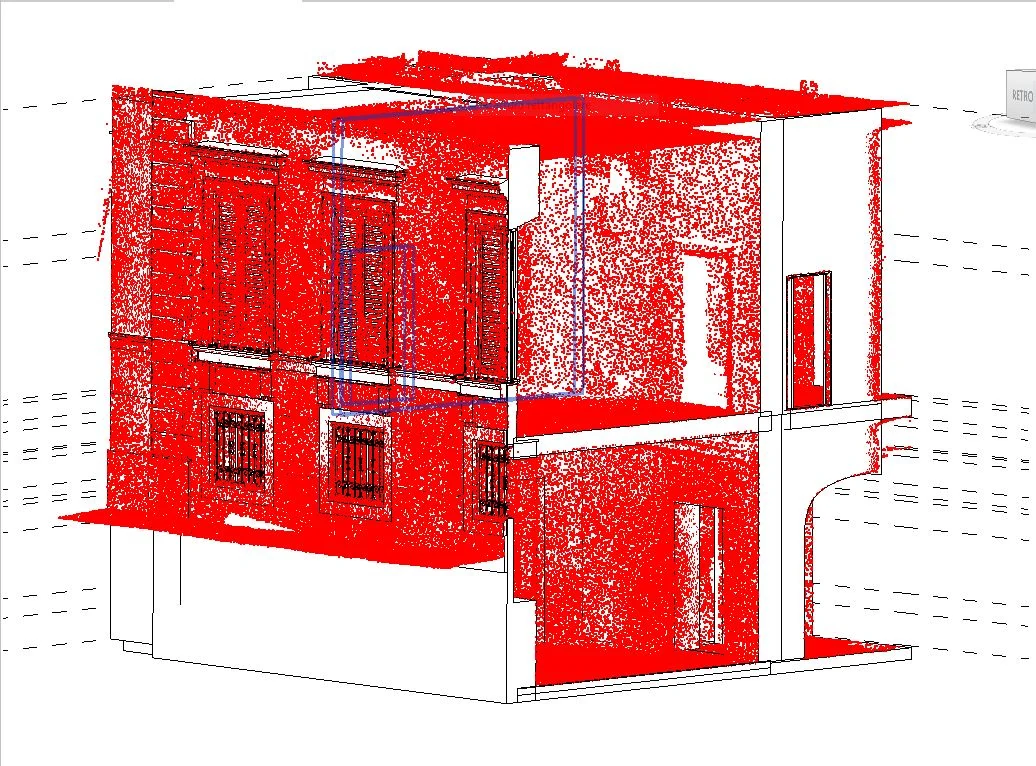
- In the BIM model, the cloud overlaid on the modelled elements makes deviations visible.
05
A case study: the Museo delle Foibe
For the Regione Lazio we laser-scanned the Roman palazzo that will house the Museo delle Foibe: the CAD delivery drawings and the BIM model used as the basis for the design were both derived from the same point cloud.
Projects Survey and BIM for the Museo delle Foibe · Point cloud of the Museo delle Foibe · Delivery drawings of the Museo delle Foibe